How to save a message for later in YakComms
Some messages need a proper answer, just not right now. Saving one puts it on your Saved for later list, so you can come back to it without keeping the room unread or relying on memory.
Before you start
- A message you can see
Plays silently with captions; the narrated version is on its way.
Transcript
Keep track of a message you'll answer later.
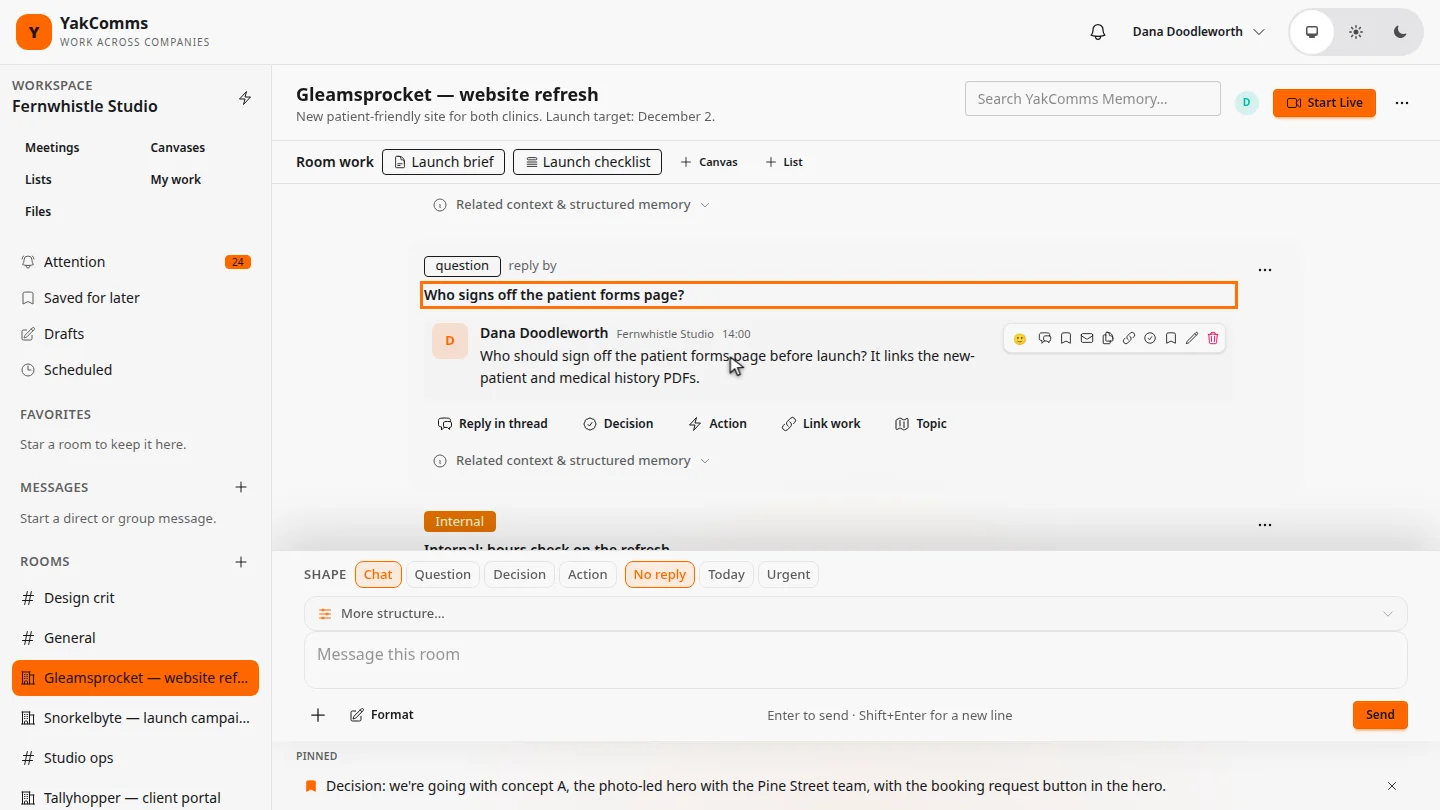
Open the room and point at the message. Its quick actions appear.
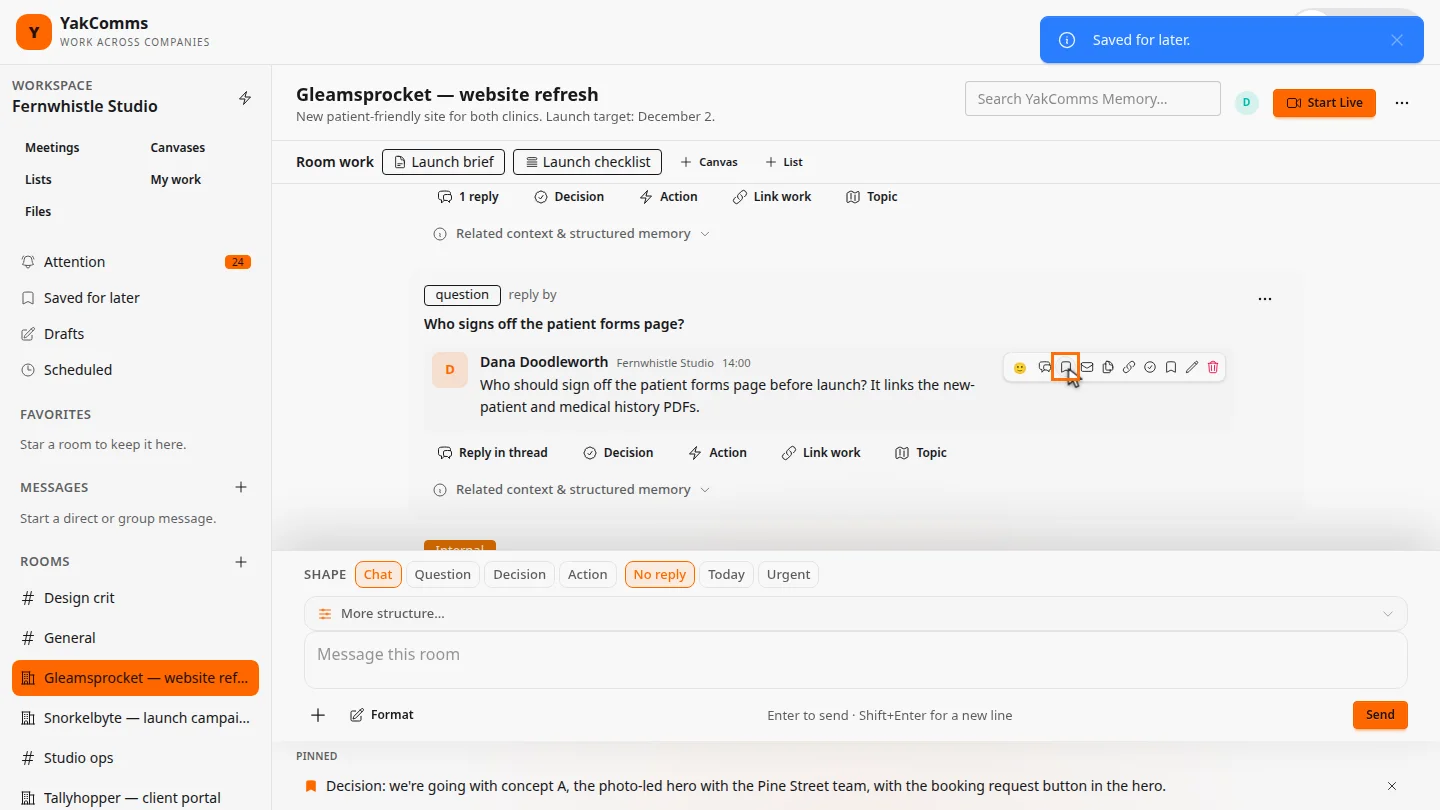
Select Save for later, the bookmark icon.
When you're ready, select Saved for later in the sidebar. Each saved message has an Open message button.
Steps
Find the message ▶ 0:04
Open the room and hover over the message to show its quick actions.
Save it ▶ 0:09
In the quick actions, select Save for later (the bookmark icon).
Find it later ▶ 0:13
In the sidebar, select Saved for later.
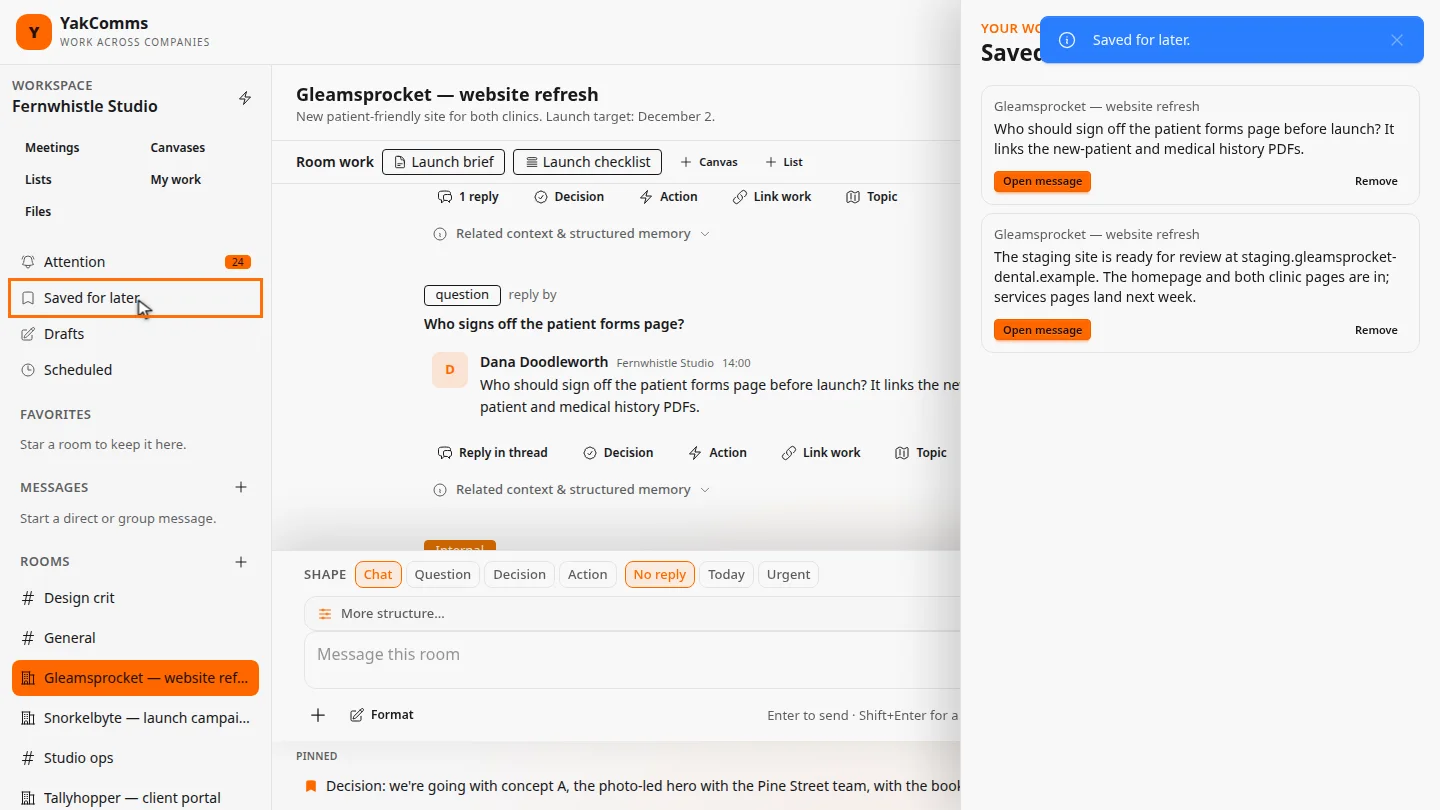
ResultThe message is listed under Saved for later in the sidebar.
Next steps
Updated 2026-10-26
bookmark message remind me save for later flag message