How to review your plan and usage in YakComms
YakComms charges for your own team, not for clients. Billing shows your plan, how many internal members you pay for and how many shared rooms you're using, so you can tell when it's time to change plan.
Plays silently with captions; the narrated version is on its way.
Transcript
See what you pay for, and how close you are to your plan's limits.
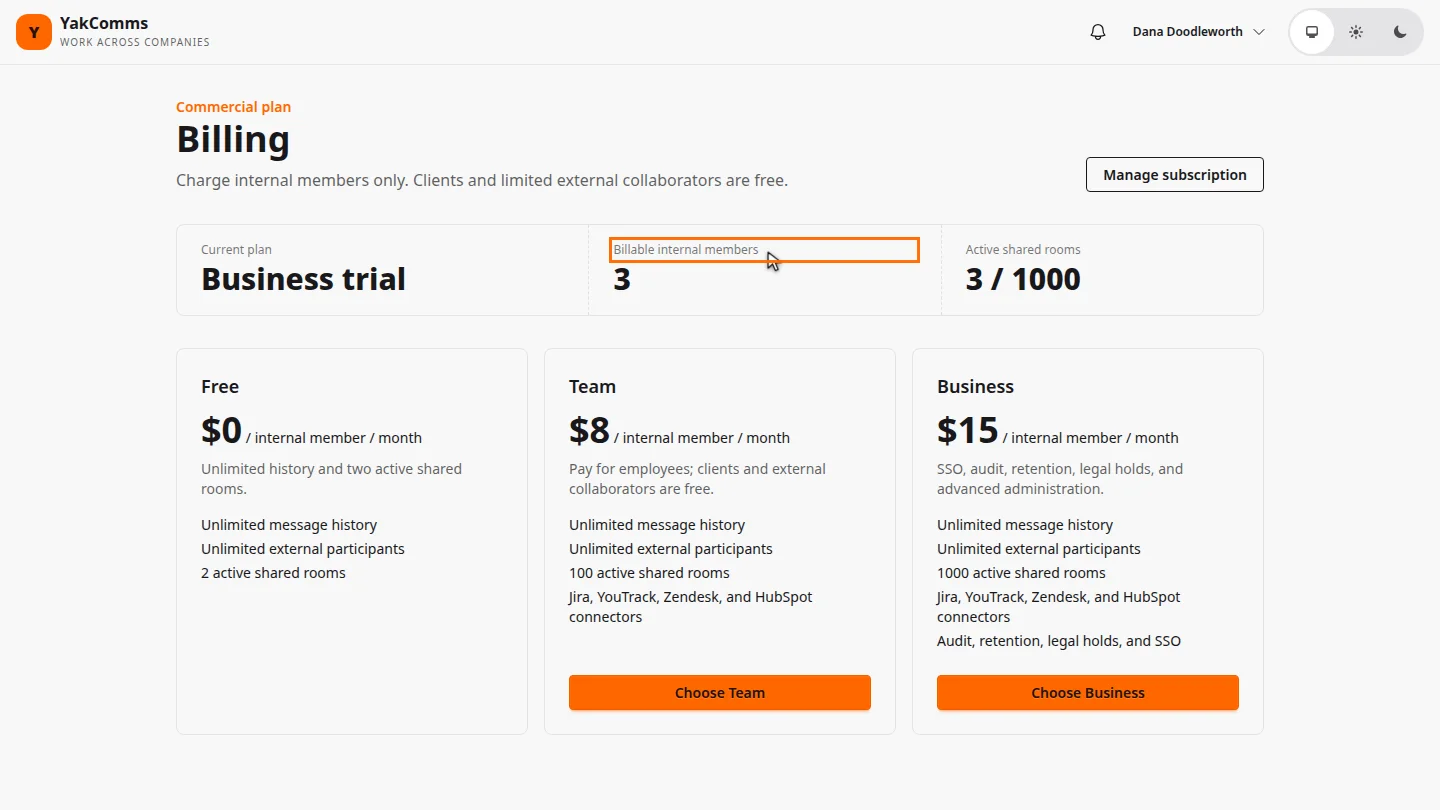
Open Billing from your account menu. The top row shows your current plan, how many internal members you pay for, and active shared rooms against the limit.
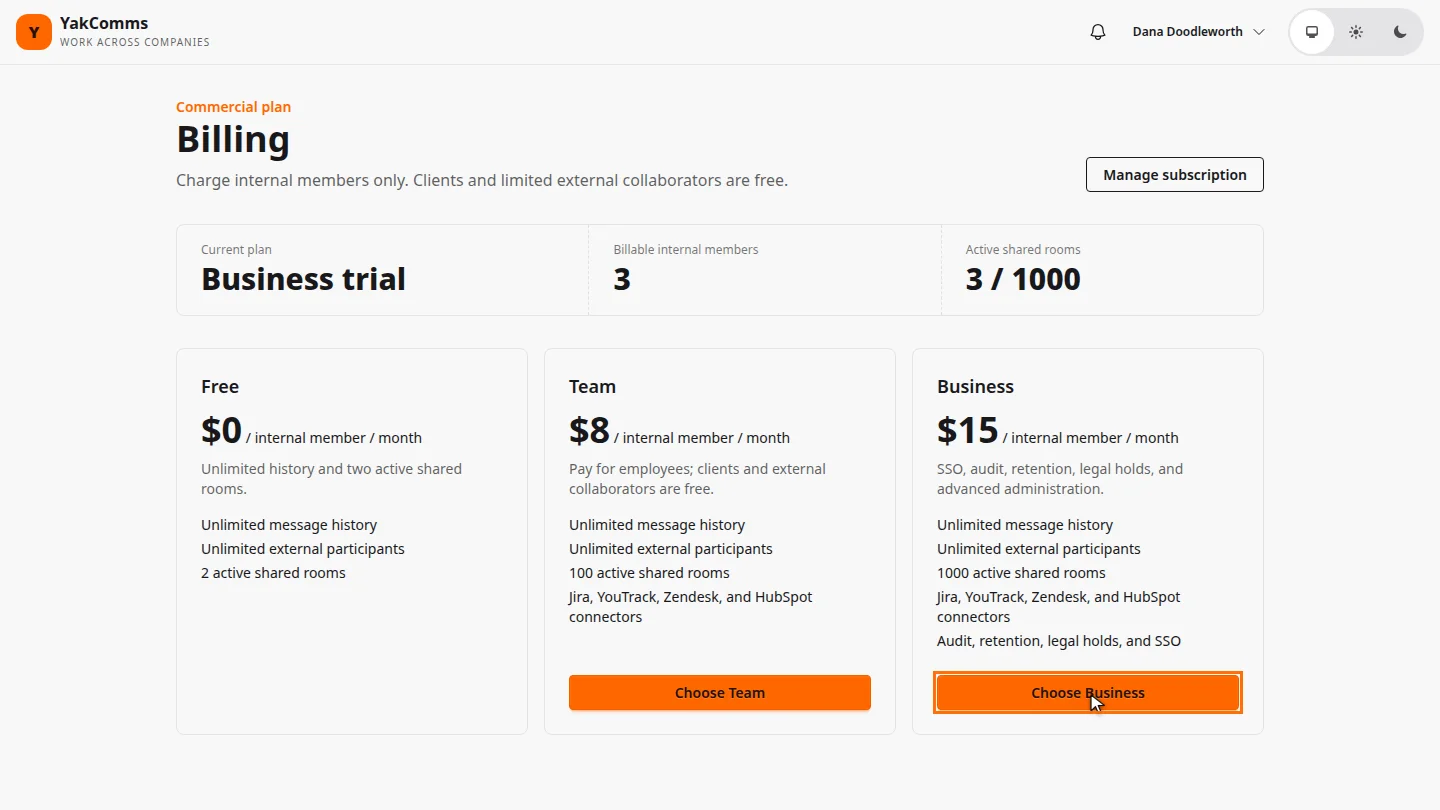
Below, compare the plans. Clients and other external collaborators are free on every plan. To change plan, select Choose on the one you want.
Steps
Check your usage ▶ 0:06
From your name menu, select Billing. Read Current plan, Billable internal members and Active shared rooms.
Compare plans ▶ 0:17
Compare Free, Team and Business. To change plan, select Choose Team or Choose Business and complete checkout.
Next steps
Updated 2026-10-26
billing pricing seats plan limits upgrade