How to reply in a thread in YakComms
When five topics share one room, replies in the main flow get tangled. Replying in a thread keeps the answer attached to the message it answers, so anyone catching up sees the question and its answer together.
Before you start
- A message to reply to
Plays silently with captions; the narrated version is on its way.
Transcript
Answer a message in its own thread, so the answer stays next to the question.
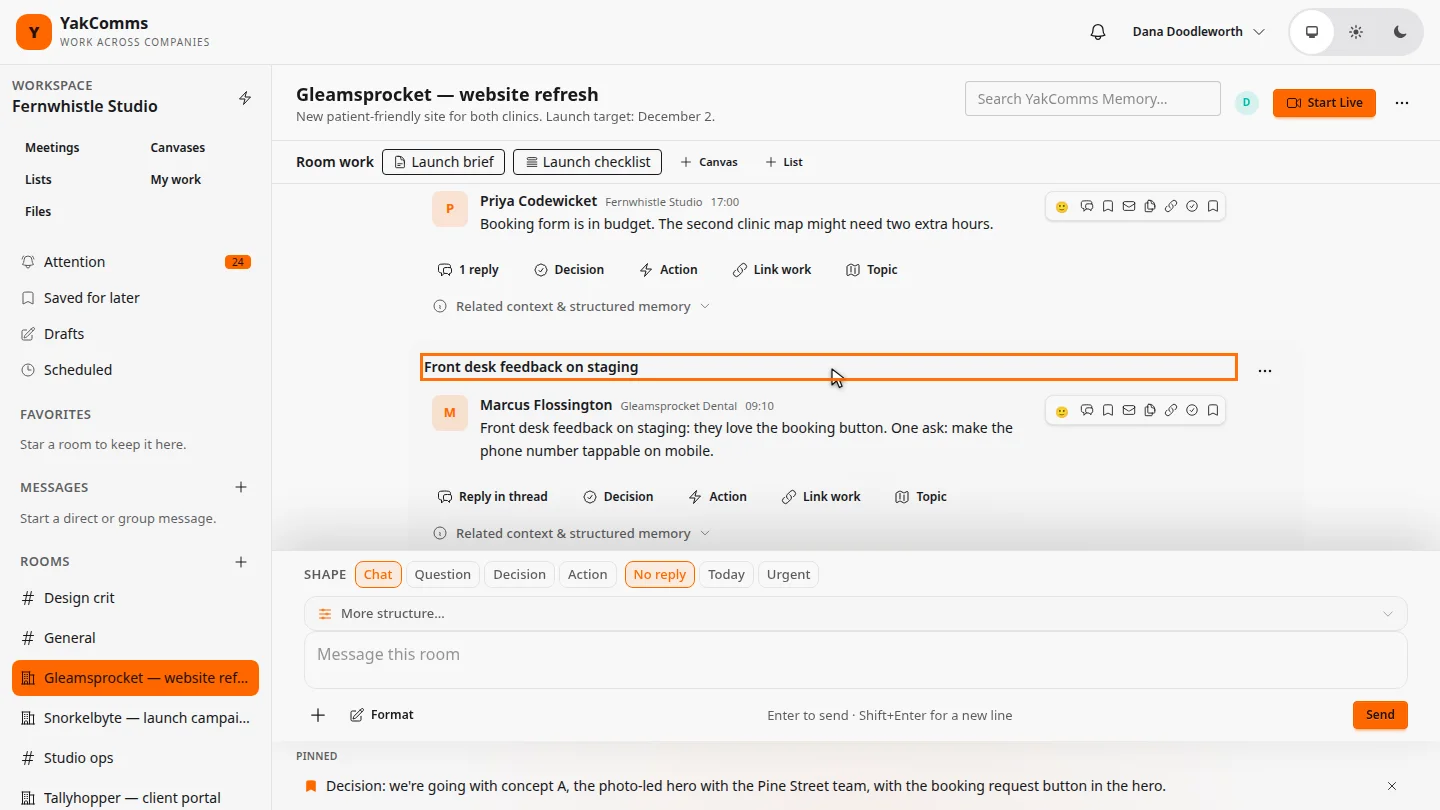
Open the room from the sidebar and find the message you want to answer. Here, Marcus from Gleamsprocket has passed on front desk feedback.
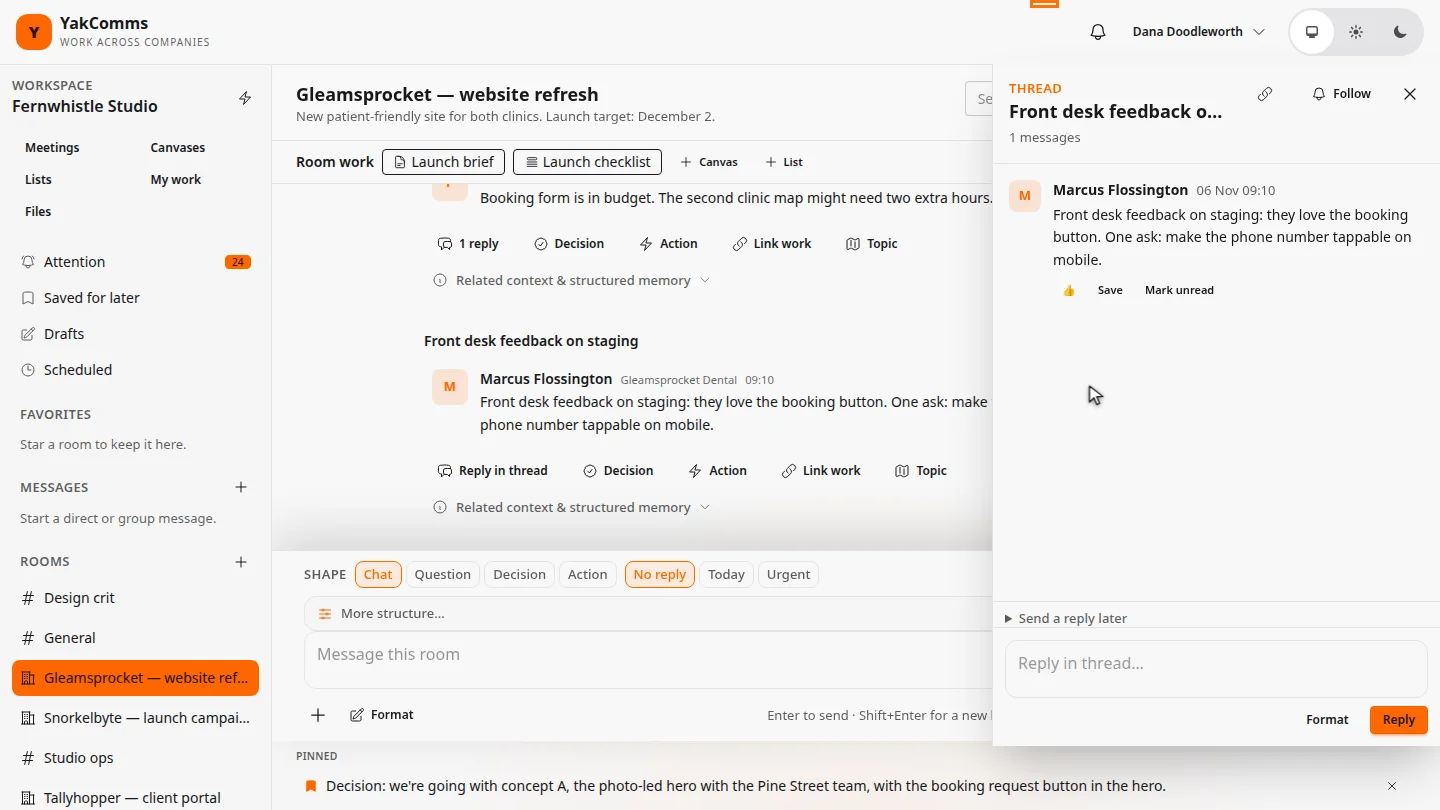
Under the message, select Reply in thread. The thread opens beside the room.
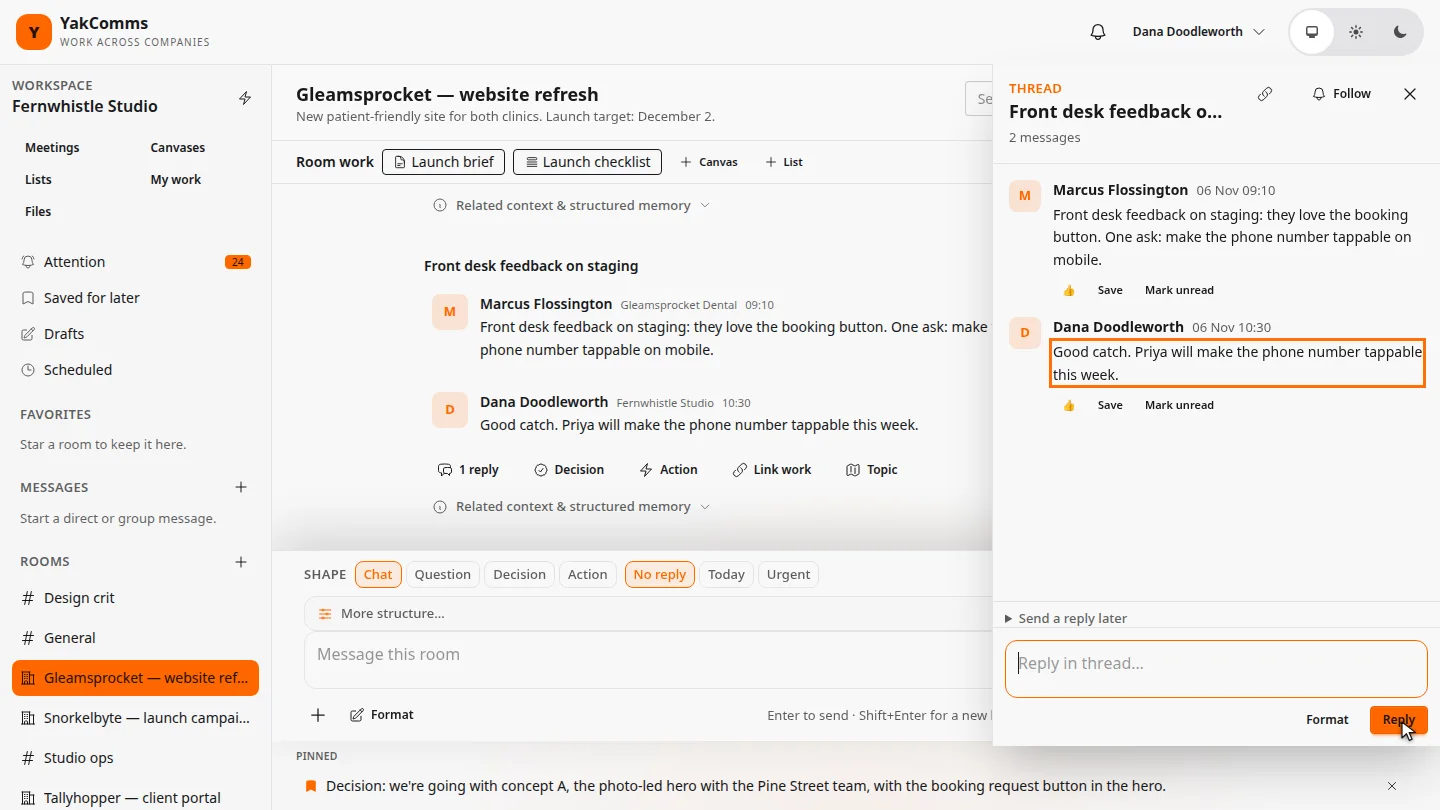
Type your answer and select Reply. It appears in the thread, right under Marcus's message.
Steps
Find the message ▶ 0:06
In the sidebar, select the room, then find the message you want to answer.
Open the thread ▶ 0:17
Under the message, select Reply in thread.
Write and send the reply ▶ 0:22
Type your reply, then select Reply.
Next steps
Updated 2026-10-26
thread reply respond to message conversation thread