How to set your interruption budget in YakComms
Working with several clients can mean a ping every few minutes. Your interruption budget caps how many notifications reach you in a day; once it's spent, the rest wait for your digest.
Plays silently with captions; the narrated version is on its way.
Transcript
Cap how many notifications reach you each day, and get the rest in a digest.
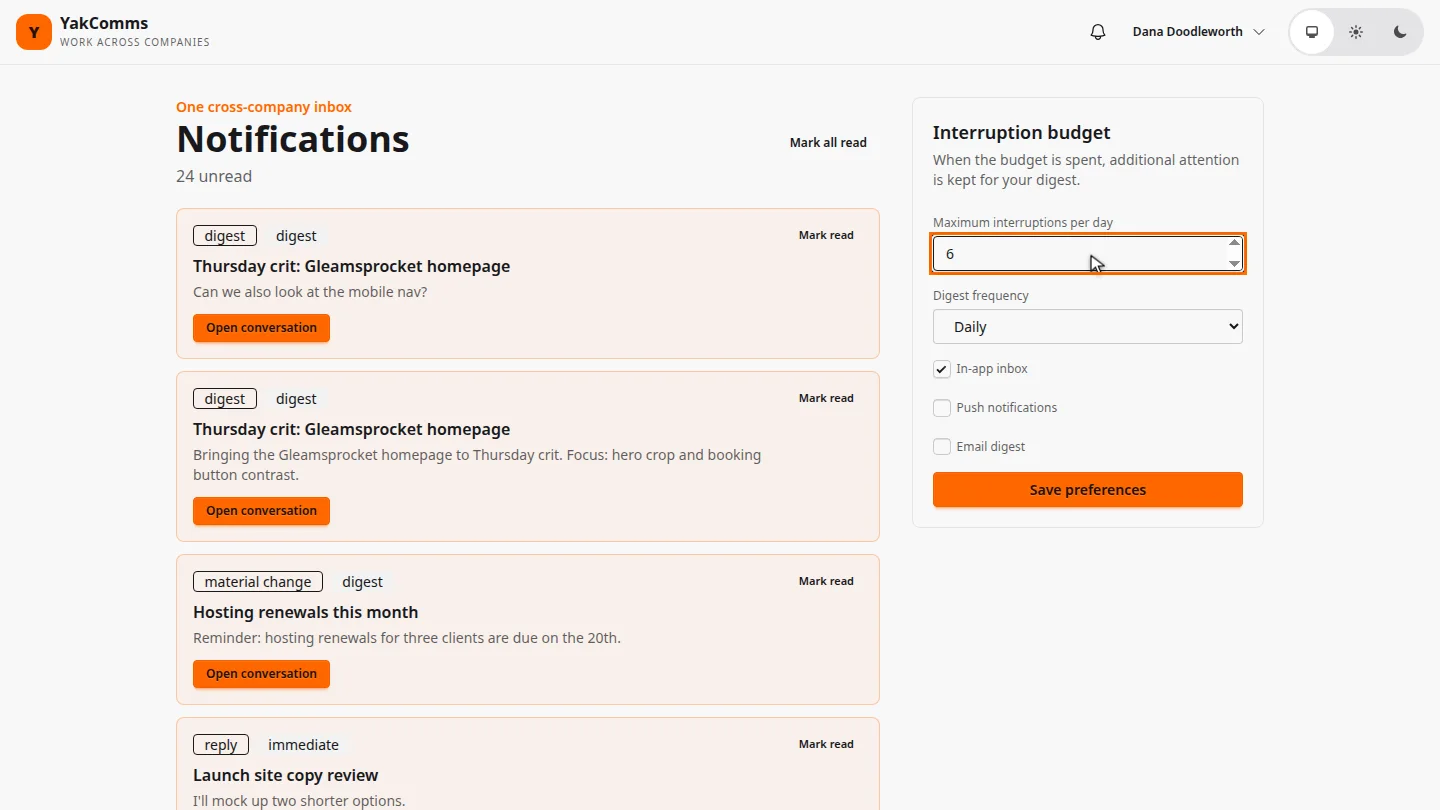
Open Notifications. Under Interruption budget, set Maximum interruptions per day. Here, twelve becomes six.
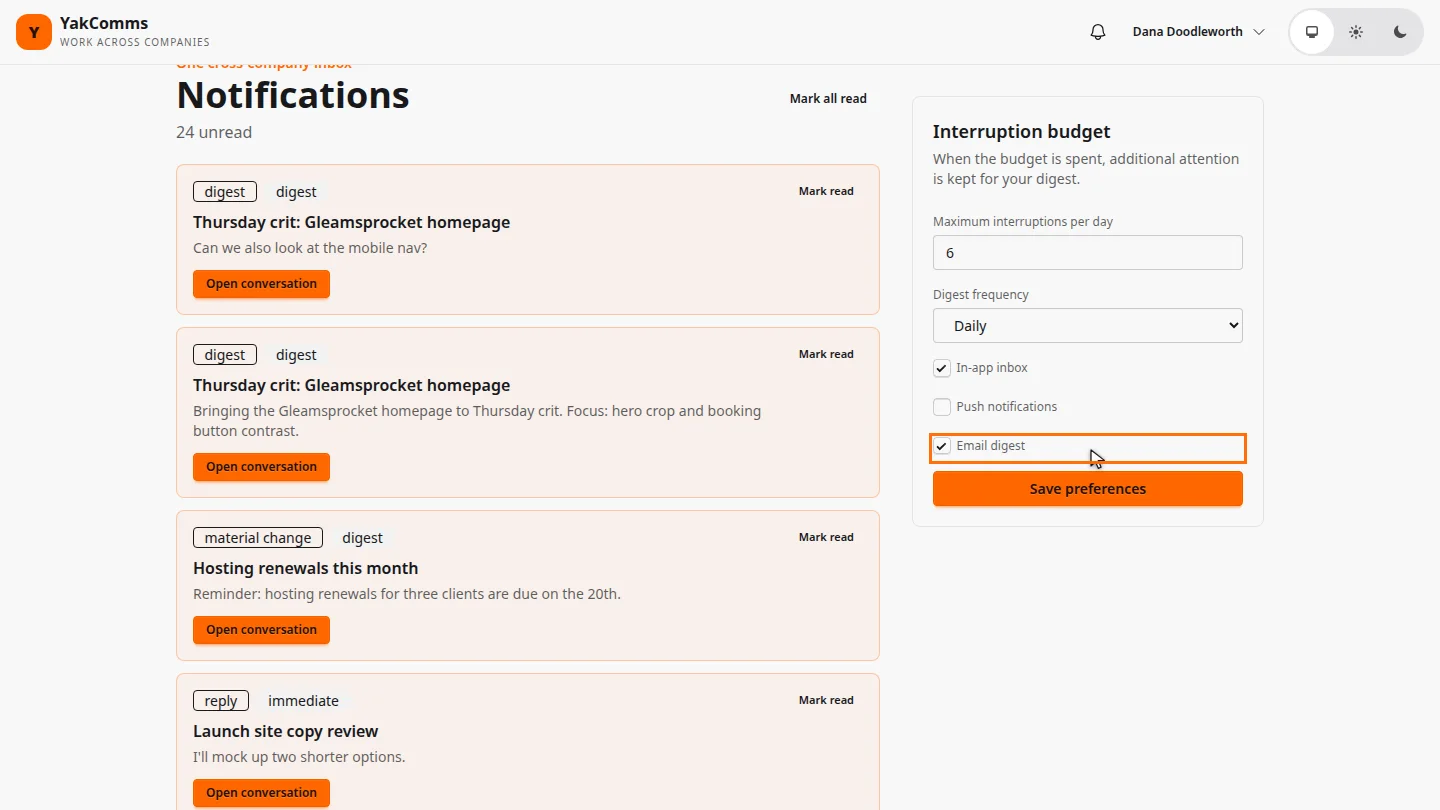
Digest frequency sets how often the held-back notifications arrive; here it stays Daily. Select Email digest to get it by email as well as in the app.
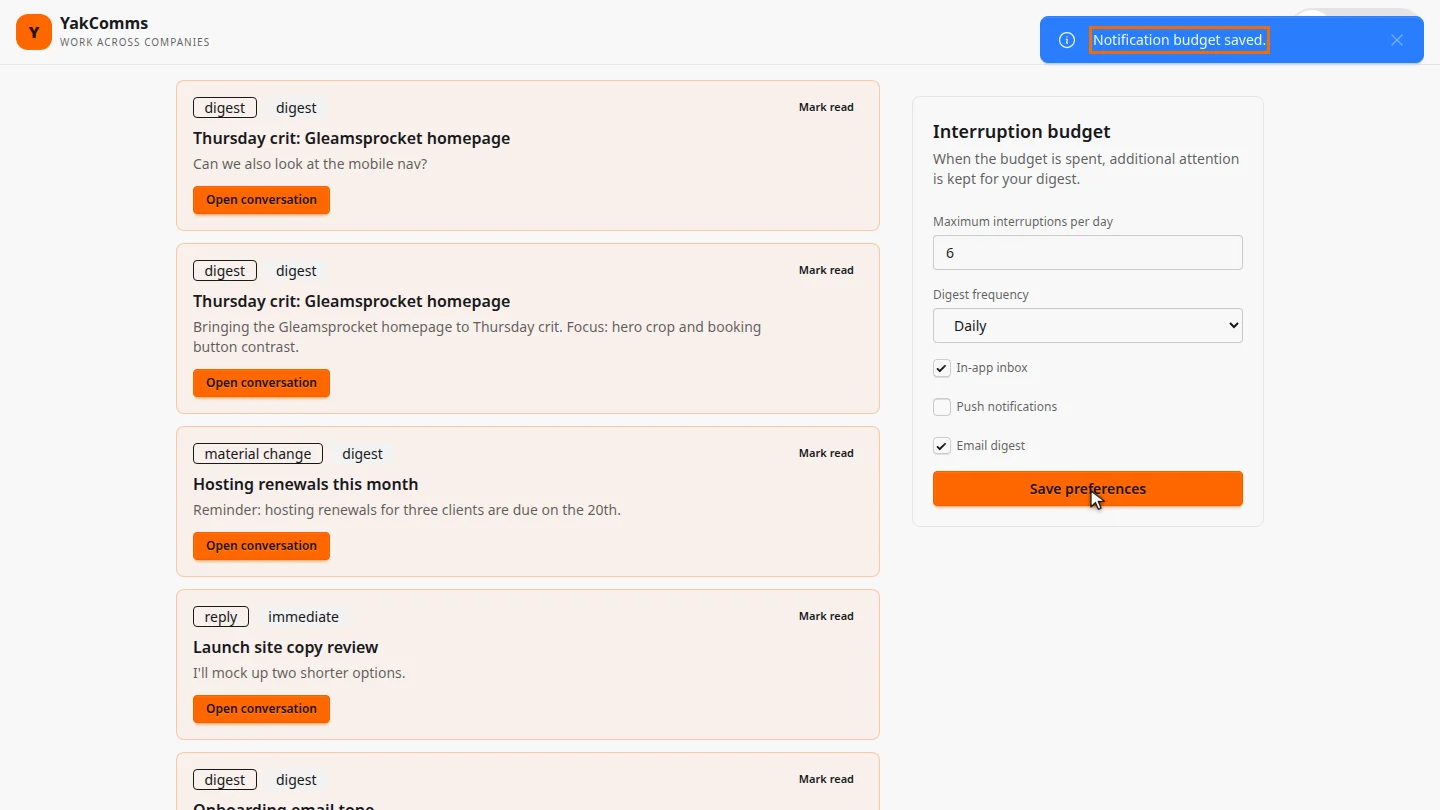
Select Save preferences. YakComms confirms the notification budget is saved.
Steps
Set the daily limit ▶ 0:06
Select the bell icon to open Notifications. Under Interruption budget, enter Maximum interruptions per day.
Choose your digest ▶ 0:14
Choose a Digest frequency, and select Email digest to receive it by email.
Save ▶ 0:25
Select Save preferences. Notification budget saved. appears.
Next steps
Updated 2026-10-26
notification settings do not disturb digest too many notifications focus